
Cockpit Tools
Add Qiuqiu Token as a model provider in Cockpit Tools and launch Codex.
Cockpit Tools manages Codex model providers and API keys in one place. After adding Qiuqiu Token as a custom provider, you can launch a Codex instance with that configuration directly from Cockpit Tools.
Prepare the connection details
Section titled “Prepare the connection details”First, create an API key for the appropriate Codex group in API key management. Available models can vary by group; check the model catalog before choosing one.
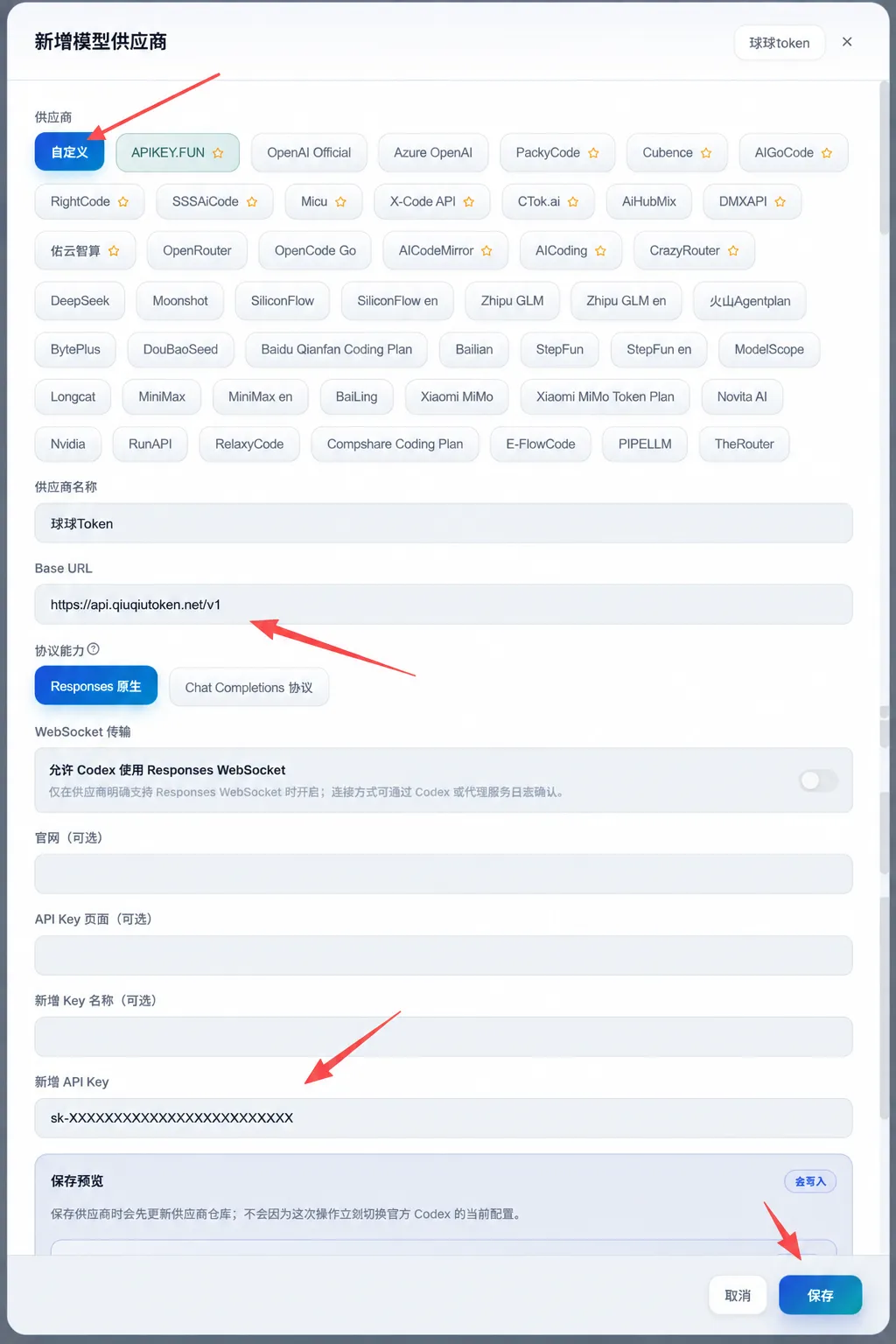
- Provider: select
Custom - Provider name: enter
Qiuqiu Token - Base URL:
https://api.qiuqiutoken.net/v1 - Protocol capability: select
Native Responses - WebSocket transport: leave it disabled
- New API Key: enter an API key from the appropriate Codex group
Add and enable the provider
Section titled “Add and enable the provider”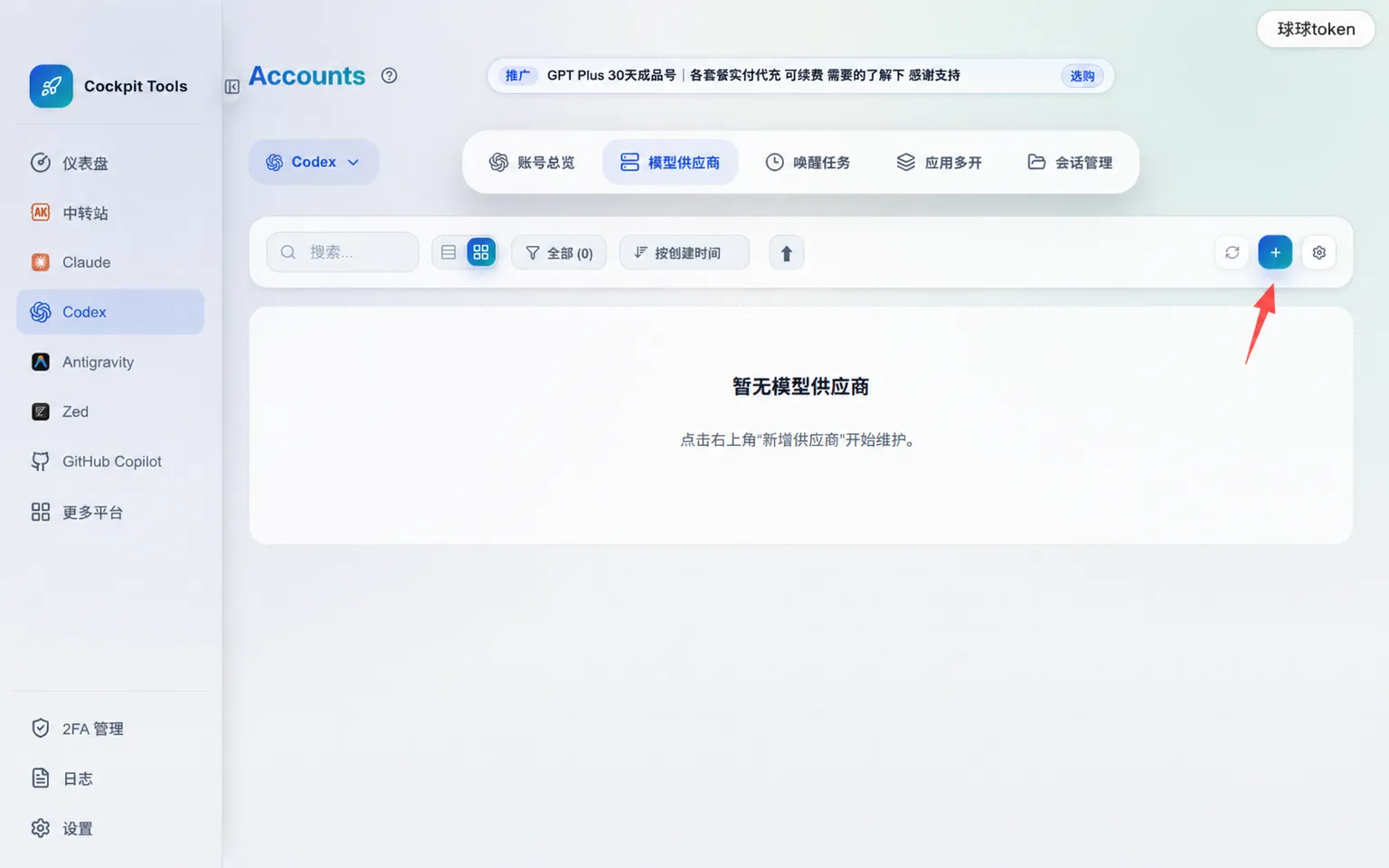
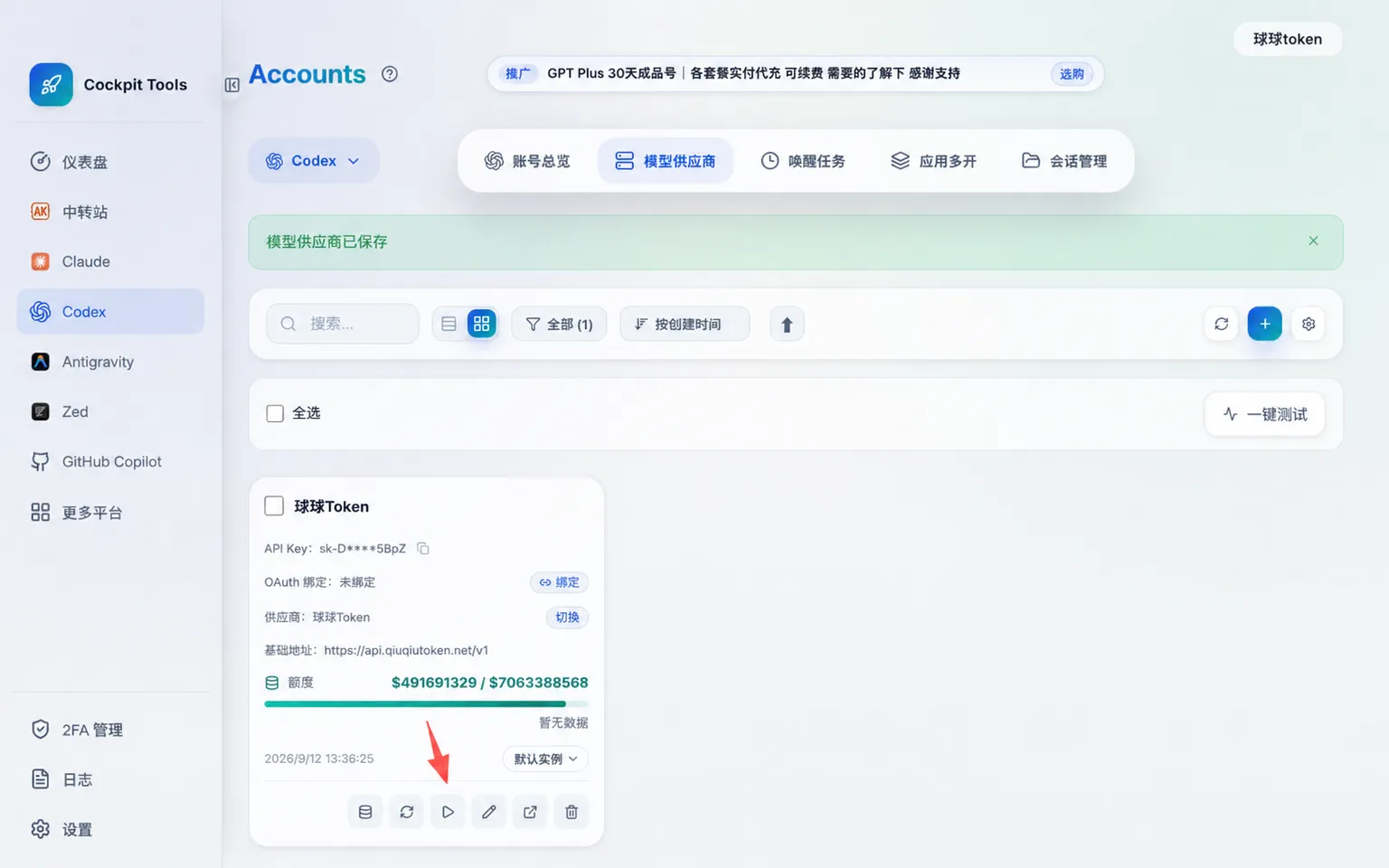
Verify the configuration
Section titled “Verify the configuration”Send one request in the newly launched Codex session. After changing the provider, endpoint, or API key, run Enable and launch again; an already-open Codex session will not load the new configuration automatically.